
Why This 63" Travel Tripod Changed How I Take Photos on Trips (Honest Review)
Discover why the Syncwire 63" travel tripod changed my travel photography. A full hands-on review covering stability, height, build quality, and real-world use.

I used to think a tripod was something only “serious photographers” with giant dslr cameras needed. I travel with a toddler, shoot everything on my phone, and I’m usually juggling snacks, tickets, and a stroller. A full camera tripod felt like way too much equipment.
Then I started trying to capture better content for my blog and social channels—family shots where everyone is in the frame, smooth video in crowded places, and those wide, cinematic angles of big hotel atriums and beaches. Hand-held just wasn’t cutting it anymore.
Enter the SYNCWIRE 63" Phone Tripod for iPhone, a lightweight travel tripod that doubles as a selfie stick and packs down small enough to throw in my day bag. I bought it “just to test,” and it honestly changed how I take photos on trips.
This is my full, no-fluff review after using it on road trips, hotel stays, Christmas light displays, and everyday family outings.
Disclosure: Journey Fanatics earns from purchases, no extra cost to you!
First Impressions: A 63" Travel Tripod That Actually Feels Packable
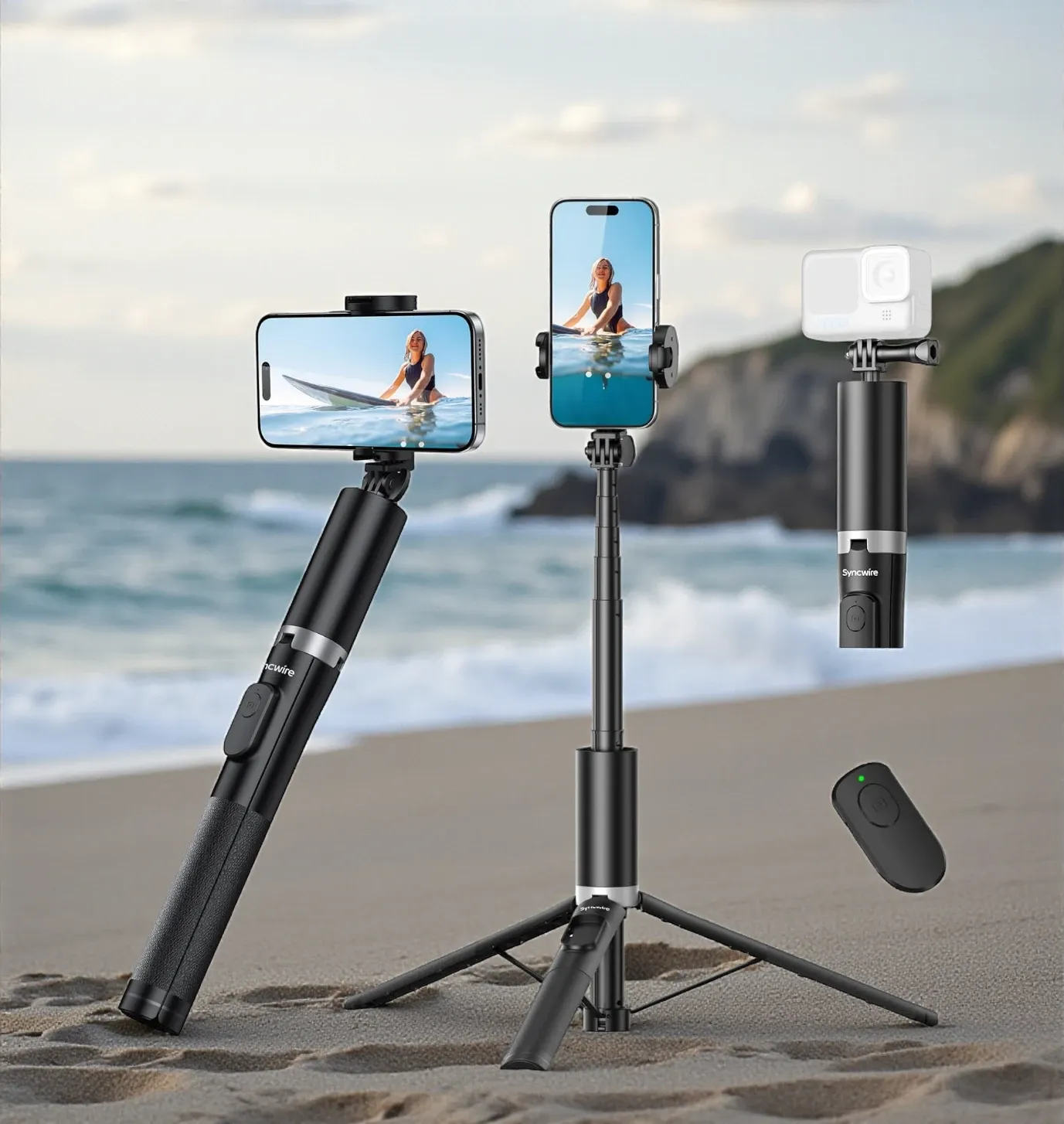
The first thing that caught my eye in the Amazon listing (aka the hero image with the surfer on the phone screen) was the maximum height: 63 inches. Most phone tripods I’d tried topped out at around 40", which always meant weird angles and not-quite-wide-enough shots.
This 63 travel tripod gives you true adult-height framing. Fully extended, it’s tall enough to:
- Capture group photos without that “shot from your knees” look
- Shoot straight-on video in front of hotel lobbies or murals
- Get more of the environment in the frame—perfect for travel storytelling
But even though it’s tall, the compact design folds down to around 13 inches. That compact design is a big deal if you already have a camera, snacks, and kid gear in your backpack. I can easily carry it along with my other gear without feeling overloaded.
The listing calls it a mix of ABS and aluminum, and in the hand it genuinely feels like a mini aluminum travel tripod—solid but still lightweight, weighing under a pound. It doesn’t feel like flimsy plastic that will snap the first time you bump it into a seat on a plane.
Build Quality & Design Details
Let’s talk build quality, because that’s where a lot of budget tripods fall apart (sometimes literally).
Materials and Finish
The main telescoping pole is aluminum with a smooth matte finish. It’s obviously not real carbon fiber, but it has that same sleek, modern vibe and doesn’t scream “cheap gadget.” The lower grip section has a textured surface that makes it easy to hold when you’re using it in selfie-stick mode.
The three legs fold out from the base to create a small stand. When you close everything up again, the legs click back into place so they’re flush with the handle. That’s huge for avoiding snags in your bag.
Feet & Stability
At the bottom of each leg you’ll find non slip rubber feet. Those matter way more than you’d think. They give you:
- Better stability on smooth hotel floors
- Extra grip on slightly uneven surfaces like boardwalks or packed sand
- Less chance that the tripod is prone to sliding if someone bumps into it
Is it as rock-solid as a heavy studio tripod? Of course not. But for a phone, it’s impressively stable support, especially for something so small.
Phone Holder Mount & Head
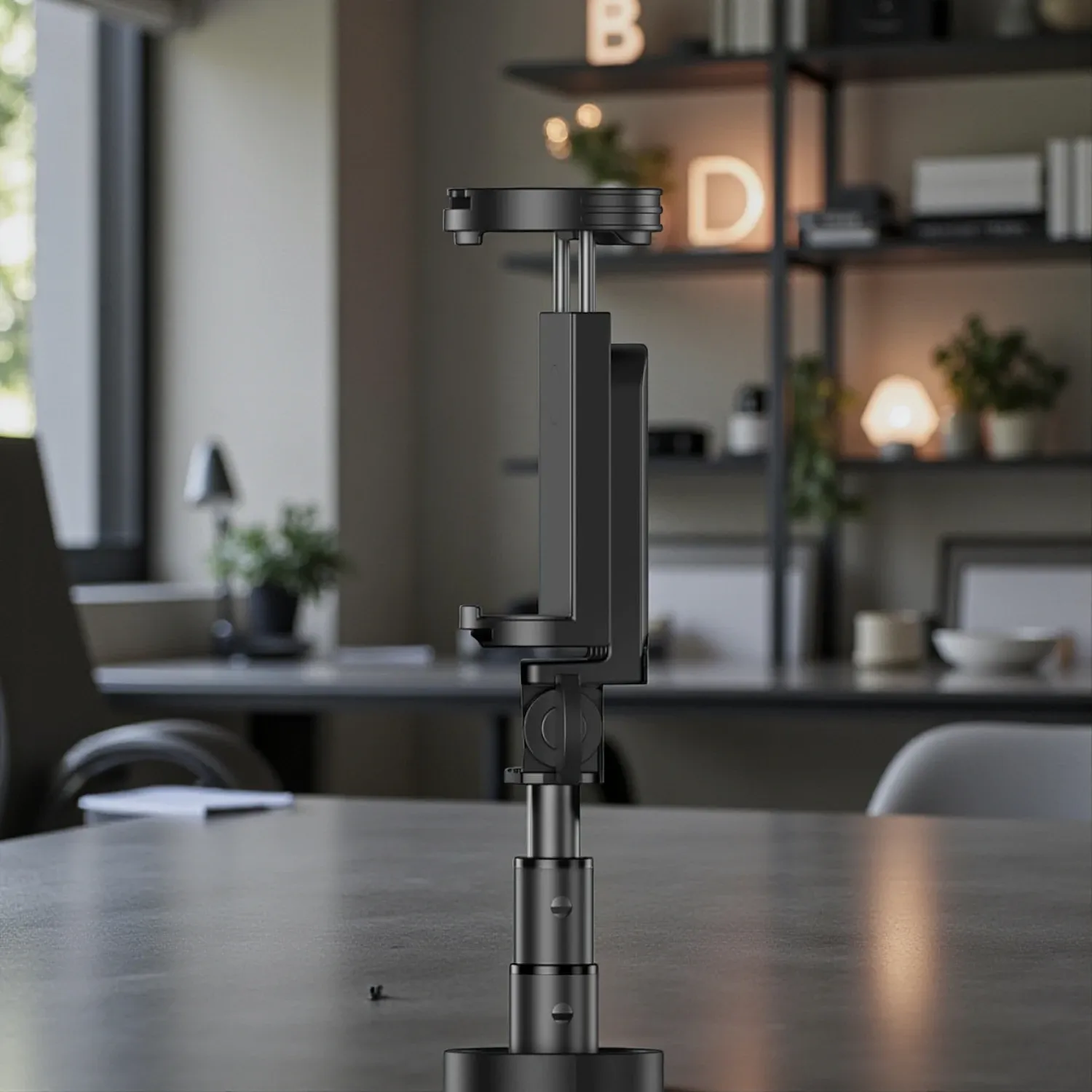
The top phone mount is where all the angle magic happens. It doubles as a phone holder and a simple ball head–style joint:
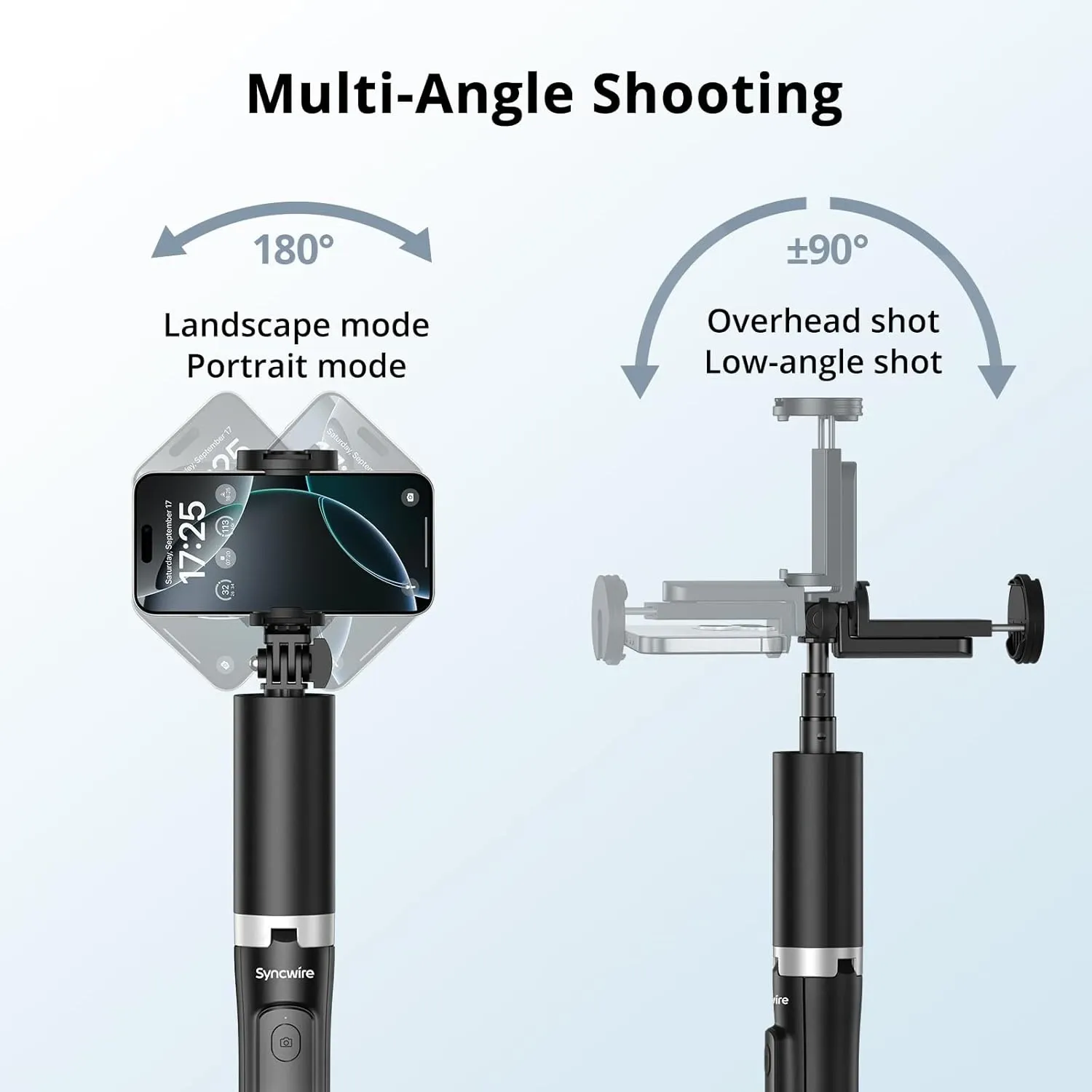
- You can rotate the phone 180° for landscape or portrait mode / portrait shots.
- The mount tilts up and down, which lets you frame low angle shots or overhead recipe videos.
- The clamp is spring-loaded, padded, and works with most smartphones between 2.17" and 3.62" wide.
I’ve slipped various iPhones and Android phones in there and it clamps down securely without scratching. You can even attach a GoPro with the included screw, which makes it feel more like a universal camera tripod than just a phone toy.
If you’re used to a traditional tripod with a quick release plate, know that this is different. There’s no plate to click on and off. You slide your phone into the clamp instead. Honestly, for a phone-only system, that’s basically simpler—but it’s good to know in case you expected a more complex head.
Height Range & Low Angle Flexibility
One of my favorite things is the height range. Collapsed, it’s short enough to use on a table; extended, it’s tall enough for full-body framing.
Low positions:
- Perfect for tabletop videos
- Great for product shots in Airbnb kitchens
- Handy when you want to film kids playing at their eye level
High positions:
- Awesome for full family portraits in front of landmarks
- Great for including tall Christmas trees or hotel atriums in the frame
- Ideal when you want a flattering angle for travel outfit photos
The low angle flexibility is surprisingly good. Tilt the head down, extend the pole a bit, and you can frame food, flat lays, or “packing my suitcase” style content from above.
Bluetooth Remote & Everyday Convenience

The tripod includes a tiny Bluetooth remote that docks into the handle. This little accessories piece might be my favorite detail.
Instead of setting a timer, sprinting into the frame, and praying you made it in time, you just:
- Pair the remote once with your phone.
- Set the tripod where you want it.
- Hold the remote out of frame and tap the button.
It works for photos and, on most phones, for starting and stopping video. It’s incredibly convenient when:
- Your hands are full (kids, bags, drinks).
- You’re filming yourself walking into a scene.
- You want to grab multiple takes quickly.
The remote uses a button-cell battery instead of USB charging. That’s one of the few places where I wish the design was different, but the seller actually includes a spare battery, which softens that trade-off.
How This Aluminum Travel Tripod Changed My Travel Photography
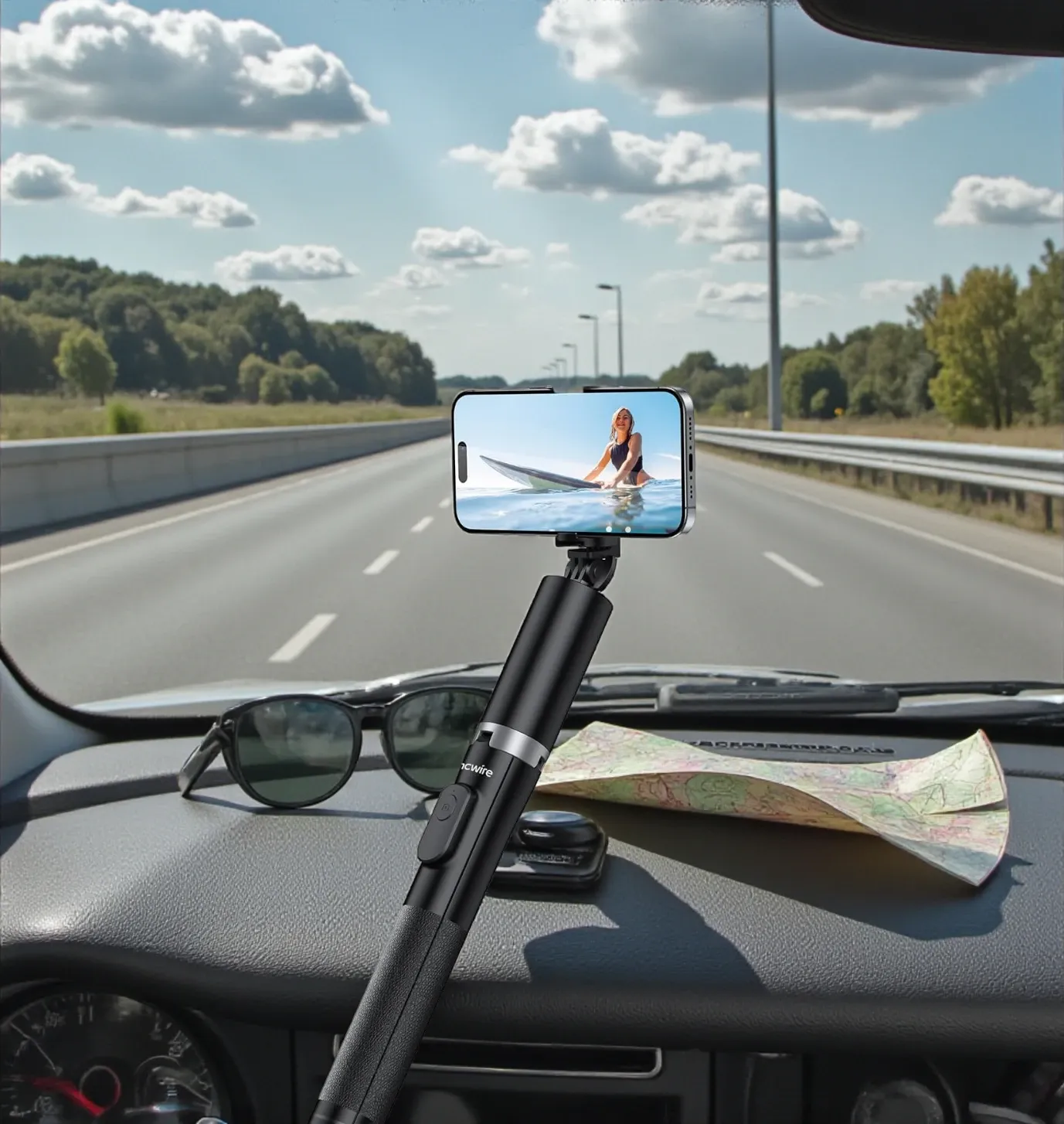
So what did this travel tripod change for me in real-life use?
1. No More Awkward Stranger Photos
We’ve all been there: you hand your phone to someone, they take a photo, and later you realize half your body is cut off and the background is crooked.
With the Syncwire, I can:
- Frame the shot exactly how I want
- Step into the scene with my family
- Use the Bluetooth remote to shoot several variations
The result: more photos that I actually want to post—and less stress asking strangers.
2. Better Storytelling at Destinations
At places like Christmas markets and big resorts, I used to get stuck with tight, eye-level photos. Now I can:
- Use the maximum height to get wide views of entire plazas
- Tilt the phone for sweeping entrance shots
- Set it lower to film the way my child sees the world
It’s helped me create more dynamic content for both social media and my blog—content that actually shows the scale and energy of a place.
3. Hands-Free Video for Reels, TikToks, and B-Roll
Because the tripod is light and easy to reposition, I’ll often put it in selfie stick mode and use it as a mini stabilizer. When I want buttery-smooth walking shots, I extend the pole a bit, hold the grip gently, and let my arm absorb the bumps.
When I need talking-to-camera clips, I pop the legs open and suddenly I have a little “studio” whether I’m in a hotel room, at a scenic overlook, or even at a rest stop on a monday road trip.
Real-World Use: Hiking, Camping, and Windy Days
This tripod isn’t just for glamorous hotel lobbies. I’ve brought it on walks, light hiking, and casual camping setups too.
Because it’s lightweight, it doesn’t feel like a burden. I can hang it off the outside of my bag using a carabiner, or slide it into a side pocket. There’s no special case, but the smooth exterior means it doesn’t catch on straps or fabric.
Camera Tripod Stability in Wind
On breezy days, any small tripod can struggle, especially when extended to full height. The Syncwire’s legs have a nice spread, but it’s still physics: tall + light = more vulnerable to wind.
My workaround:
- Don’t extend it all the way up in strong wind.
- Widen the legs completely for a bigger footprint.
- If needed, hang a small bag or jacket near the base to add weight.
Used thoughtfully, it stays stable enough for most real-world travel situations.
What It’s Not Meant For
To keep this review honest, let’s talk about what this tripod is not.
Not for Heavy Cameras or Scopes
The Syncwire is designed for phones and small action cameras—not big dslr cameras, mirrorless bodies with long lenses, or heavy spotting scopes and binoculars.
Could you technically attach a tiny mirrorless camera or some very lightweight scopes with the right adapter? Maybe. But the build quality and stable support are engineered around phones and GoPros, not multi-pound lenses. If your main priority is wildlife photography or long-range spotting scopes, you’ll want a beefier tripod that’s expressly manufactured for that kind of load.
Not an All-Day Shoulder Tripod
Because it doesn’t come with a padded strap or case, this isn’t the kind of camera equipment you sling over your shoulder alone like a big pro rig. It’s more of a “throw it in your backpack” or “clip it to the outside” kind of tool.
Using the Tripod With Tablets and Other Devices
The clamp is really designed around phones, but I know someone will ask: what about tablets?
Small tablets might fit if they fall within the clamping width and you’re gentle, but I wouldn’t count on it for anything larger than a mini. For smartphones, though, compatibility is fantastic. It works across multiple iPhone generations and a wide range of Android models without any weird wiggling.
I also love that the clamp has cold-shoe style spots where you can mount a small light or microphone. It makes it easier to build out a tiny “creator rig” without hauling a separate cage or bulky accessories.
Price, Shipping, and Purchase Experience
When I bought mine, the price sat comfortably under $30. It’s not the absolute cheapest option on Amazon, but the cost-to-value ratio is excellent.
My purchase was straightforward:
- Prime shipping
- Quick delivery
- Arrived well-packed with clear printed details and a tiny user guide
The seller even sent a follow-up email asking for feedback, which I know is automated but still nice.
Scanning through other reviews, it’s clear most customers are satisfied. People often mention that it feels more premium than they expected, especially compared to ultra-cheap phone tripods that wobble like crazy.
Weight & Portability in a Travel Day
One of my biggest fears with any new piece of gear is that it’ll feel great at home… and then I’ll never actually bring it with me.
The Syncwire avoids that trap by staying very light. Weighing about 315 g (a little under 0.7 lb), it disappears into a day bag. I’ll often tuck it next to my water bottle or slide it down the back panel of my bag so I can grab it quickly.
For minimalist packers, this is the kind of equipment that earns its spot because it gets used constantly:
- Quick group shots at viewpoints
- Time-lapses out hotel windows
- Behind-the-scenes video while kids play on the beach
If you’re planning a trip and trying to match your plan to the right tools, this is one of those things that seems optional on paper but ends up being essential in practice.
How I’d Use It on Different Trips

To help you picture if it fits your style, here are some scenarios:
City Breaks
- Set it up for café-table shots
- Use it for night street scenes, where any stable stand makes a difference
- Capture yourself walking across crosswalks or into iconic doorways
Road Trips
- Mount it at overlooks for group family images
- Film packing routines and car-camp setups
- Use the remote to grab candid moments at rest areas
Theme Parks & Resorts
- Perfect for those “everyone in front of the castle” shots
- Handy in hotel rooms for room tours or “get ready with me” videos
- Great for evening photos where a little extra stability matters
Camping & Hiking
- Light enough to take on gentle hiking routes
- Works as a little night-sky phone tripod if you’re experimenting with astrophotography
- Helpful around the camping area for cooking demos or storytelling by the fire (just keep it away from the flames)
Honest Downsides & Suggestions
No product is perfect, and this one has a few quirks worth mentioning.
- No True Ball-Head Wiggle Room
While the built-in joint behaves somewhat like a ball head, it doesn’t have the infinite adjustability of a high-end head. It’s enough for most travel photography, but if you’re used to ultra-precise adjustments, you might feel a little limited. - Not for Heavier Cameras
As mentioned earlier, I wouldn’t put heavy mirrorless or dslr cameras on it, even if they technically fit. This is a phone-first design. - Mouse-Click Style Remote Battery
The remote’s button-cell battery is fine, but if you forget to turn it off you’ll eventually drain it. I’d love to see a tiny USB-C charging port in a future version. - Some Flex at Maximum Height
Fully extended, the pole has a tiny bit of flex. That’s physics with anything this tall and light. It’s generally fine, but not something you’d want to use in strong wind without lowering it a bit.
My suggestions if you buy it:
- Practice opening and closing the legs a few times at home so it feels second nature.
- Keep the remote tucked into the handle when you travel so it doesn’t get lost.
- Don’t treat it like a rugged pro tripod—it’s sturdy for its class, but still a compact phone-first design.
Using the Product Images on Your Own Content
If you’re a creator like me, you’ll probably want a thumbnail image and in-post visuals that show what this tripod can do.
The product images with the surfer and group selfie are perfect inspiration:
- Use one “tripod in use” photo at the top as your hero image.
- Add a shot showing the height range or maximum height in the middle of the article.
- Include a close-up of the clamp and legs if you’re explaining the build quality and non slip rubber feet.
These visuals help people immediately understand why this compact camera tripod is so useful compared to just holding a smartphone at arm’s length.
Final Verdict: Is the Syncwire 63" Travel Tripod Worth It?
If you’ve read this far, you can probably tell I’m a fan. Here’s my honest bottom line.
Who it’s perfect for:
- Travelers who shoot mostly on their phones
- Parents who want to be in the photo, not just behind it
- Bloggers, vloggers, and content creators who need flexible framing
- Anyone who wants a lightweight but sturdy tripod to toss in a bag and go
Who might want something else:
- Wildlife shooters with heavy spotting scopes or long lenses
- Professional photographers who rely on full-frame dslr cameras all day
- People who need a true heavy-duty studio stand
For everyone else, especially everyday travelers and family photographers, this is one of those rare pieces of gear that punches way above its price. It helps you tell better stories, makes your travel photography look more polished, and takes up almost no room in your bag.
I’m genuinely glad I clicked “Buy Now.” Among all the gadgets I’ve sold myself on “for content,” this one has actually stayed in rotation. If you’ve been on the fence about adding a phone tripod to your equipment, the Syncwire 63" is a smart, well-manufactured little workhorse that I can confidently recommend.
And if you do snag it, definitely leave your own feedback and reviews after a few trips—creators like us depend on real-world experiences from other travelers to decide what to pack next.
Happy Travels! 🌍