
The Portable Label Printer I’d Bring for Road Trips, RV Travel, and Small Business Shipping
This portable label printer makes it easier to ship products during road trips, RV travel, hotel stays, and small business travel setups.

Disclosure: Journey Fanatics earns from purchases, no extra cost to you!
Running a small business does not stop just because you are traveling.
If you sell products online, travel can get awkward fast. Orders come in while you are on a road trip. You are staying with family for a week. You are working out of an RV. You brought inventory with you, but now you need to actually ship it, on top of keeping your tech gear and cords organized with travel tech cord organizers.
That is where a portable label printer starts to make a lot of sense.
Instead of hunting down a printer, taping paper labels to boxes, or hoping a shipping store can print everything for you, a compact thermal label printer gives you a way to print shipping labels from a smaller setup.
For small business owners who travel, sell on Amazon, Etsy, Shopify, eBay, TikTok Shop, Poshmark, or ship products from different places, this can be one of those boring but extremely helpful travel business tools.
The printer I’d look at for this kind of setup is the Phomemo D420D Shipping Label Printer, because it is compact, prints 4x6 shipping labels, connects by Bluetooth or USB, and has a built-in label holder instead of needing an extra roll stand.
Why a Portable Label Printer Makes Sense for Travel
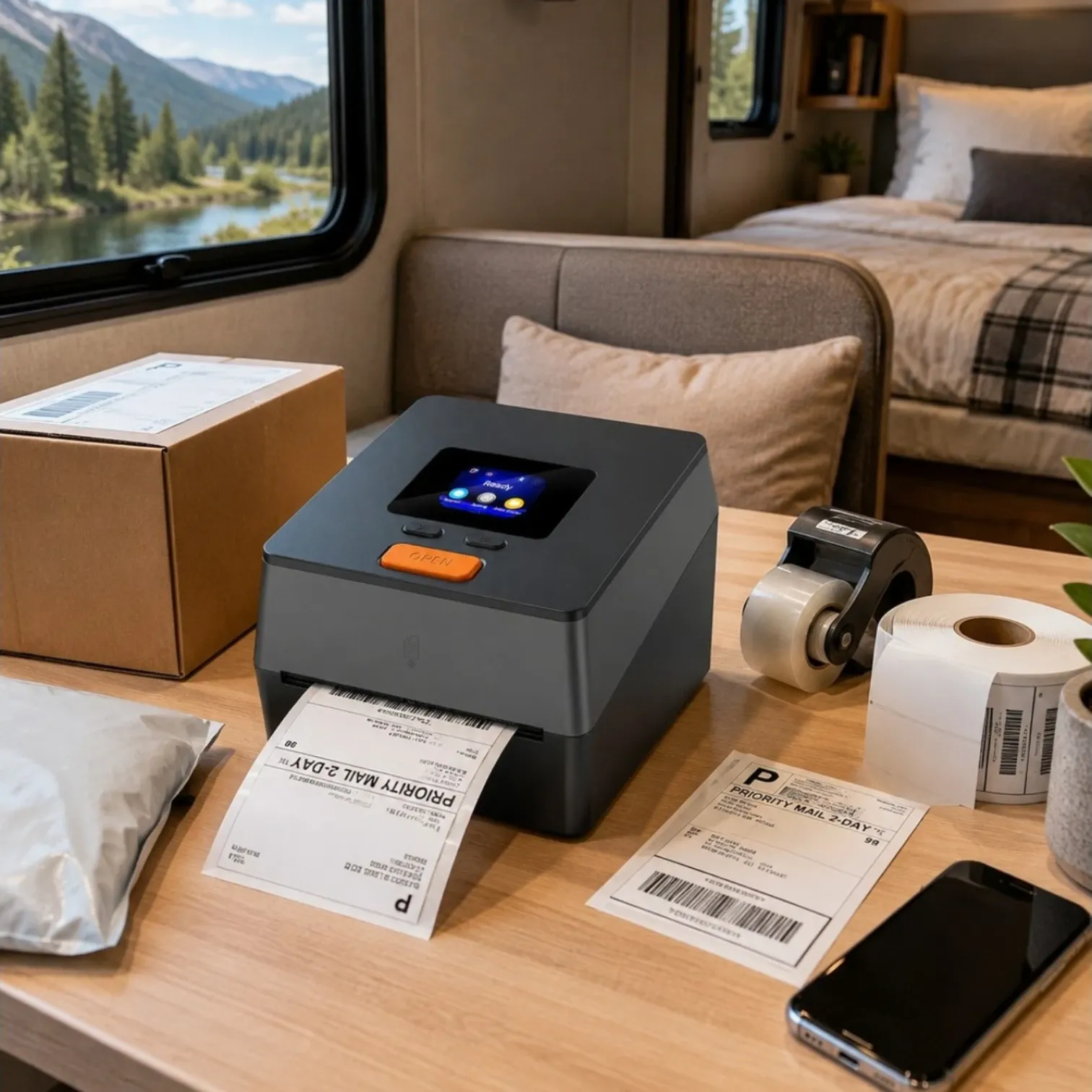
A portable label printer is not just for people with a full office.
It can also be useful if you:
- Ship products while traveling
- Sell online from home but sometimes work away from home
- Take inventory on road trips
- Live or travel in an RV
- Ship from hotels, family houses, or temporary setups
- Sell on Amazon, Etsy, eBay, Shopify, TikTok Shop, Poshmark, or similar platforms
- Want to stop using regular paper, scissors, and tape for shipping labels
The biggest benefit is convenience.
A thermal printer does not use ink or toner. It uses heat to print on thermal labels, which means there are fewer supplies to pack and less mess to deal with. For someone trying to keep a small business running from the road, that matters.
My Top Pick: Phomemo D420D Shipping Label Printer
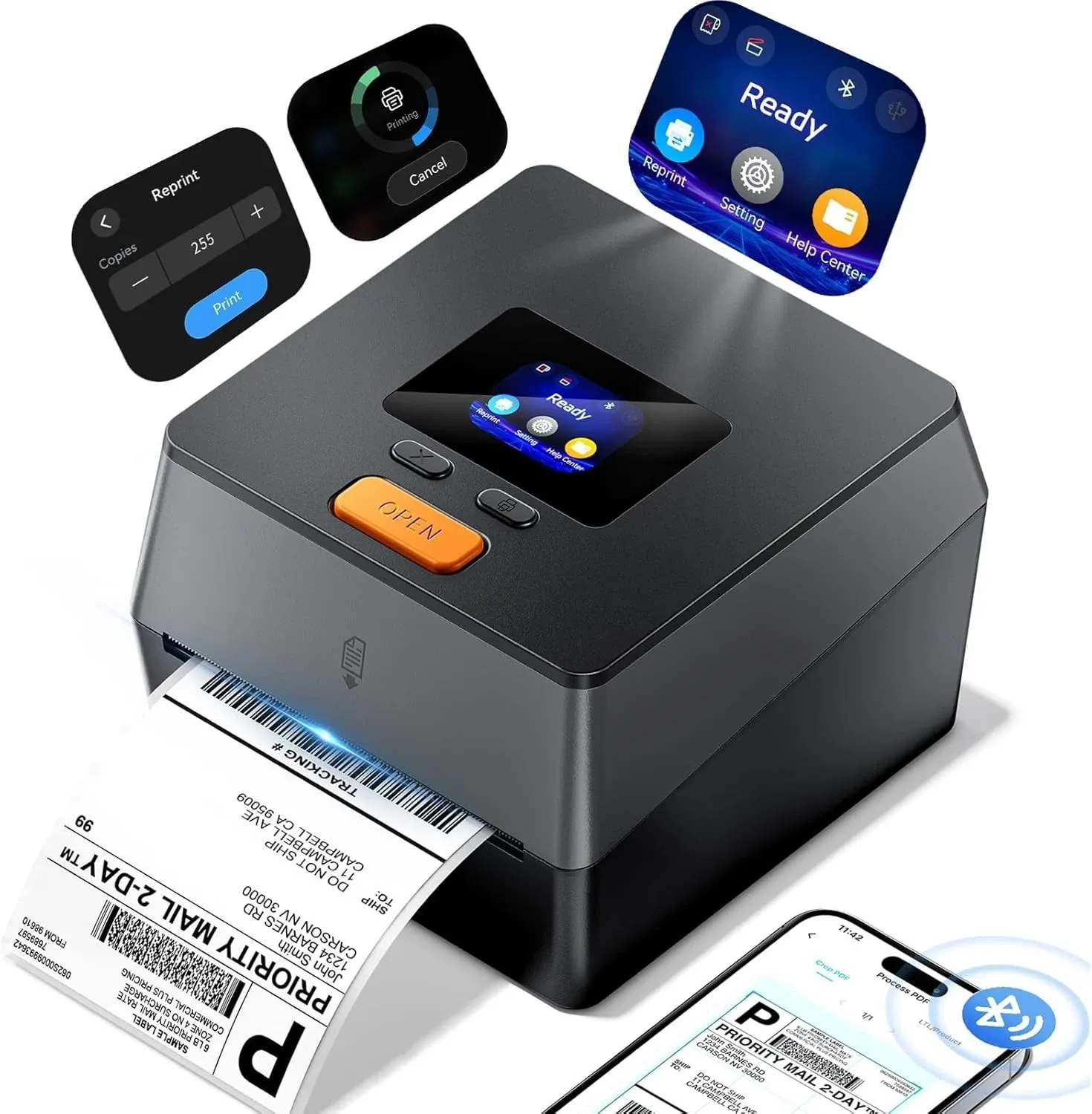
The Phomemo D420D is a 4x6 Bluetooth thermal label printer made for shipping labels and small business use.
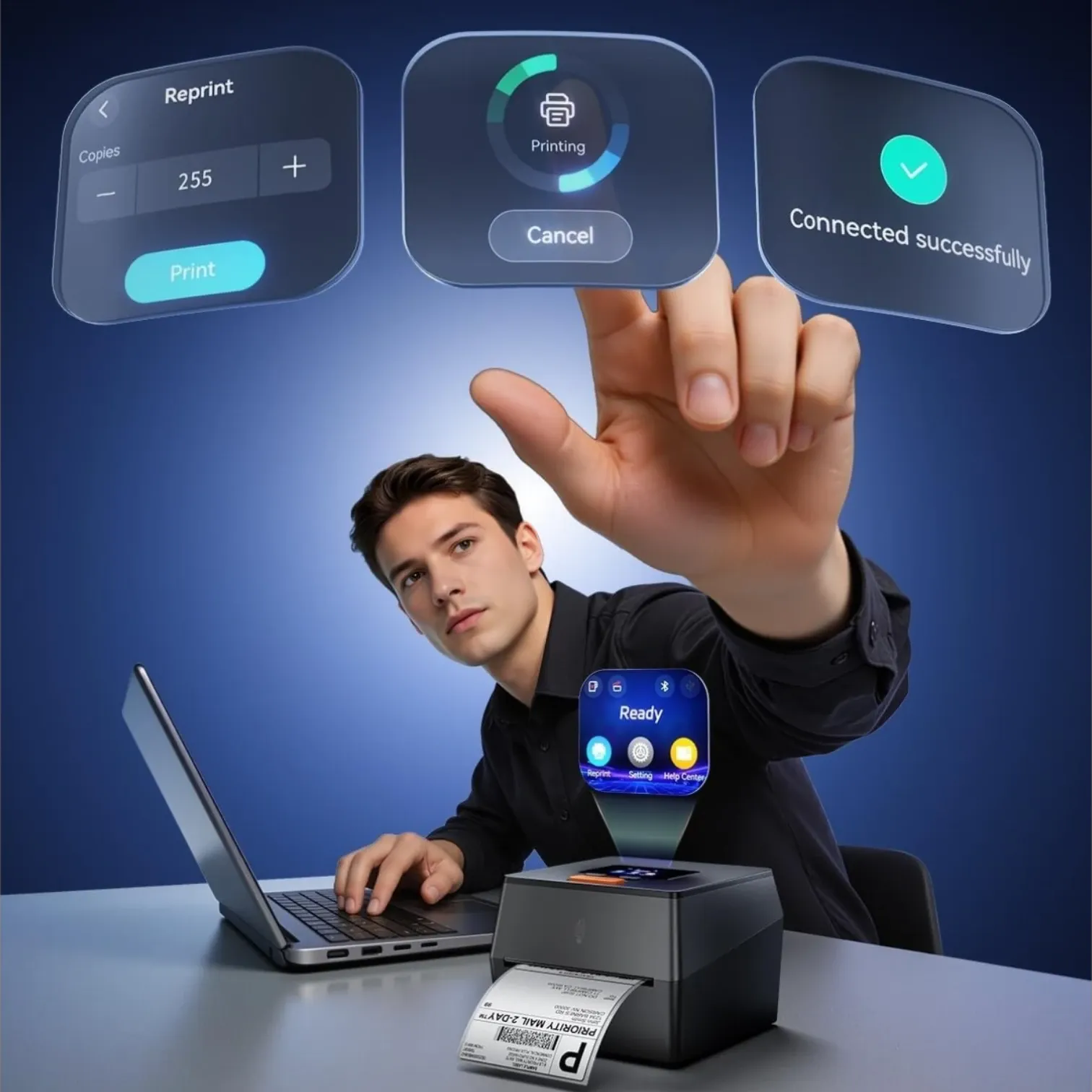
It has a touchscreen, a built-in label holder, Bluetooth 5.0, USB connection, and support for labels from 1 inch to 4.6 inches wide. It is designed to work with major shipping and selling platforms like USPS, UPS, FedEx, Amazon, TikTok, Shopify, Etsy, eBay, PayPal, and more.
That is the part that makes it more interesting for travel sellers. It is not just a label maker for organizing bins or pantry containers. It is a shipping label printer for actual packages.
Why I Like It for Road Trips and RV Travel
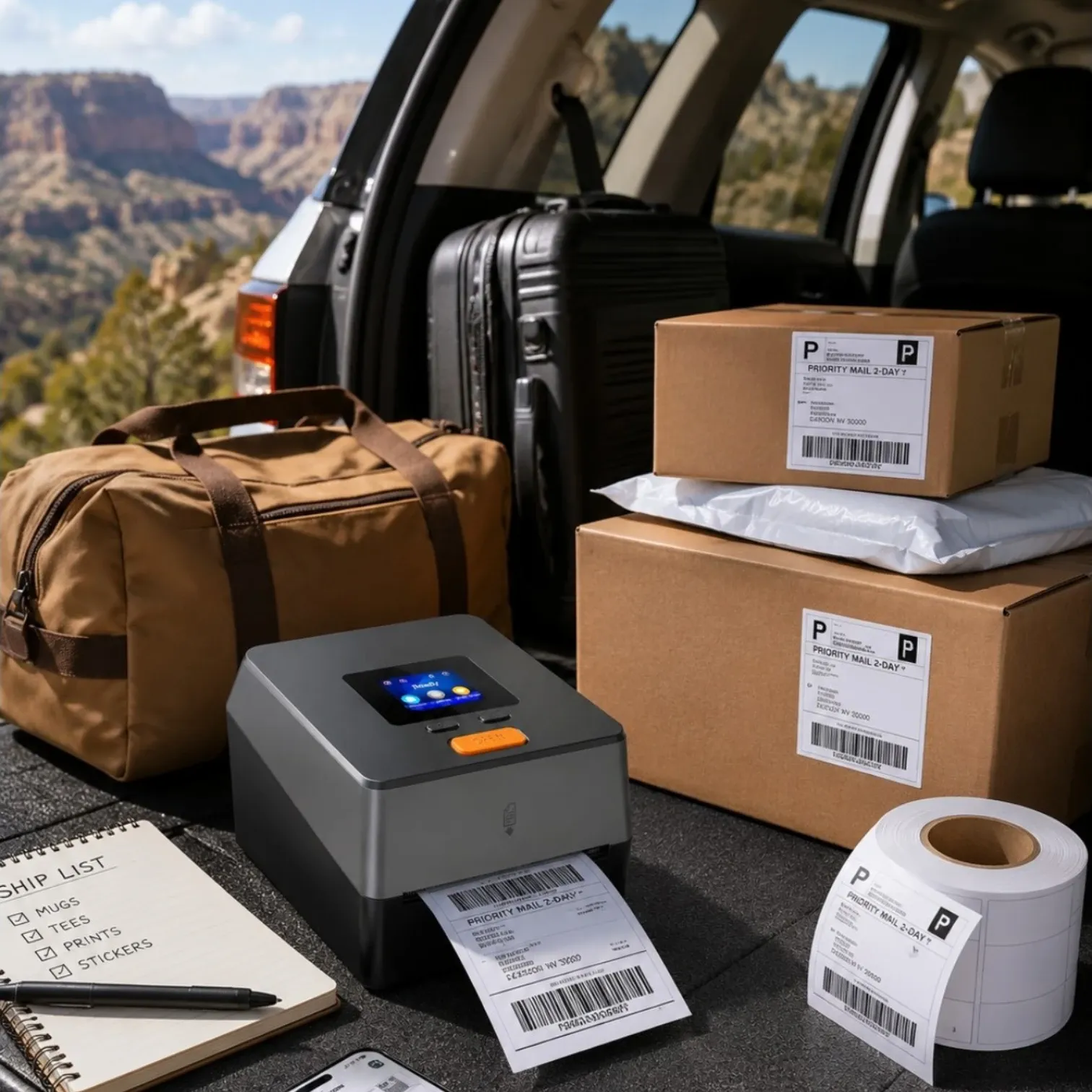
The feature that stands out most is the built-in label bin.
A lot of label printers need an external label holder behind the printer. That is fine on a big desk, but it is annoying when you are working from a small RV table, hotel desk, kitchen counter, or temporary packing station.
This one holds up to 250 4x6 roll labels inside the printer, which keeps the setup cleaner. If you are trying to pack light or avoid your shipping supplies taking over your travel space, that is a big plus.
It is also fairly compact at about 7.3 x 6.3 x 5.35 inches and weighs about 0.97 kg. I would not call it tiny like a handheld label maker, but for a 4x6 shipping label printer, it is still small enough to fit into a business travel bin or RV workspace.
What It Can Print
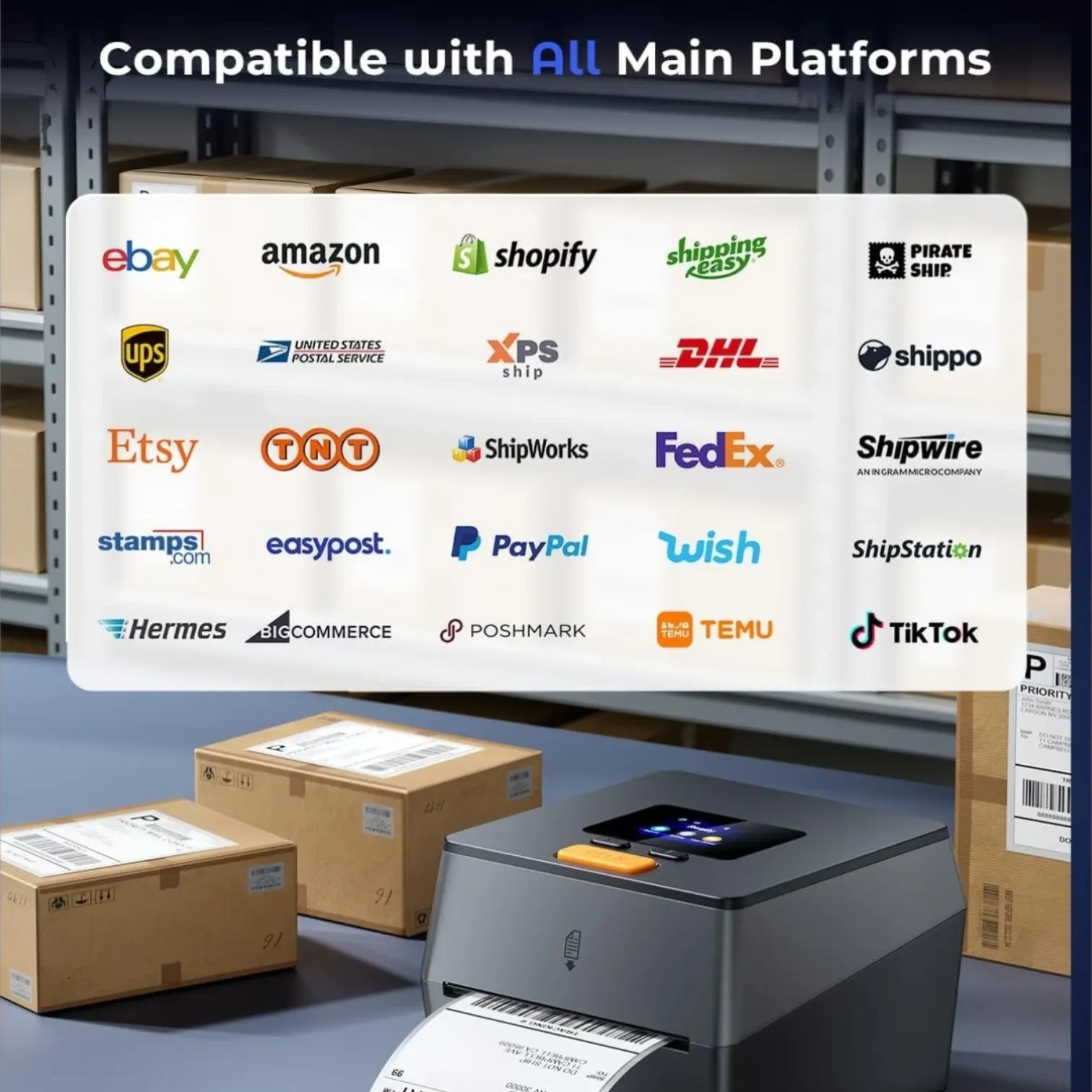
This printer is mainly useful for:
- 4x6 shipping labels
- USPS labels
- UPS labels
- FedEx labels
- Amazon shipping labels
- Shopify order labels
- Etsy order labels
- eBay labels
- TikTok Shop labels
- PayPal shipping labels
- Barcode labels
- Address labels
- Inventory labels
- Product labels
- Small business organization labels
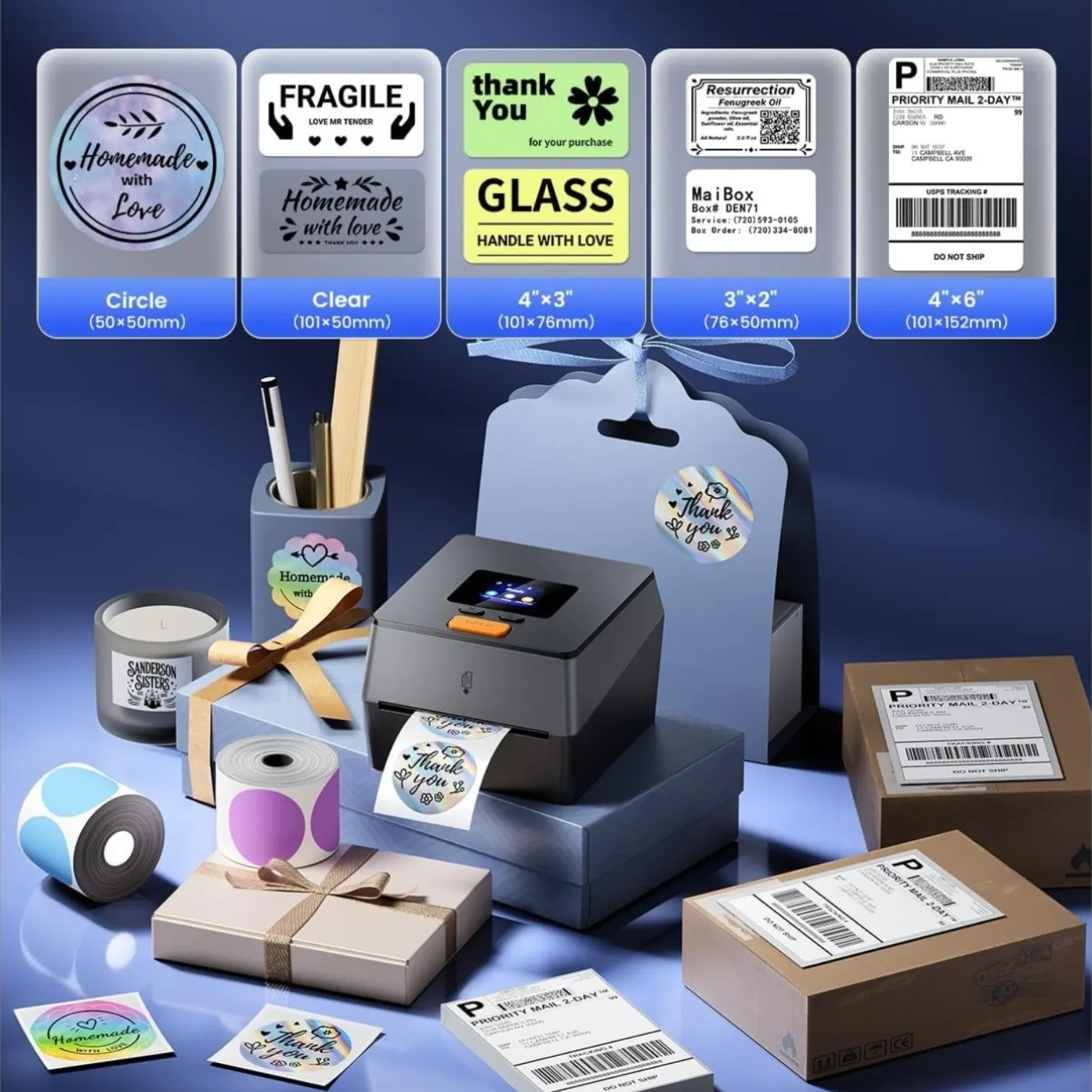
It supports label sizes from 1 inch to 4.6 inches wide, so it is more flexible than a printer that only handles one exact label size.
That matters if you want one printer for shipping labels and smaller business labels.
Why Thermal Printing Is Better for Travel
A thermal label printer is easier to travel with than a regular printer because there is no ink.
No ink cartridges.
No toner.
No full-size paper.
No cutting paper labels.
No taping over labels.
For shipping products while traveling, that is the whole point.
You still need label rolls, but that is much easier to pack than a regular printer setup. If you are in an RV or working from a small desk, using thermal labels can make the whole shipping process faster and cleaner.
The Phomemo D420D uses 203 DPI printing, which should be clear enough for standard shipping labels, barcodes, and addresses. Higher DPI can matter for very detailed logos or intricate custom labels, but 203 DPI is commonly used for shipping labels.
Bluetooth and USB Setup
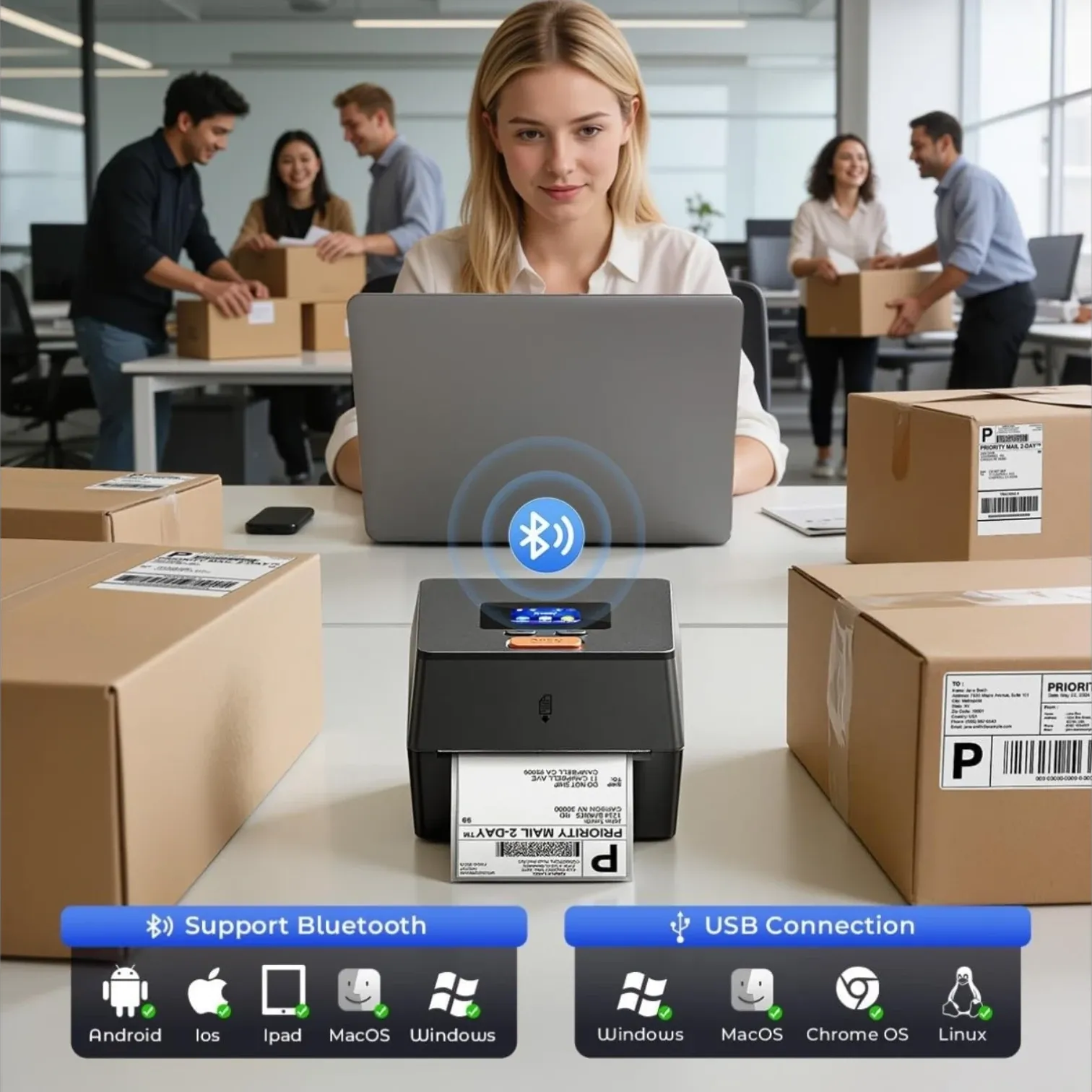
This printer works with Windows, macOS, iOS, and Android.
That gives you a few different ways to use it:
- Print from a phone
- Print from a laptop
- Connect through Bluetooth
- Connect through USB
- Use it in a home office
- Use it from a temporary travel setup
For travel, Bluetooth is the feature I’d care about most. If you can print directly from your phone or laptop without dragging extra cords everywhere, it makes the setup feel much less annoying.
One thing to know: the product page says mobile Bluetooth setup needs to happen inside the app, not through the phone’s regular Bluetooth settings. That is not a dealbreaker, but it is something I’d pay attention to during setup.
Who This Printer Is Best For
This portable label printer makes the most sense for:
- Small business owners who travel
- Amazon sellers
- Etsy sellers
- Shopify store owners
- eBay sellers
- TikTok Shop sellers
- Poshmark sellers
- RV travelers who ship products
- Road trip sellers who still need to fulfill orders
- People who sell from more than one location
- Anyone tired of printing labels on regular paper
I would especially consider it if you ship physical products regularly and want your shipping process to feel more professional.
Who Should Skip It
I would skip this printer if you only ship one package every few months.
For very occasional shipping, you can probably get by with:
- A regular printer
- A shipping store
- USPS QR code printing
- Tape and paper labels
- A cheaper basic label printer
I would also skip it if you need a true battery-powered printer. This one is portable in size, but it still needs a power supply. So it is good for RV tables, hotel rooms, office desks, and temporary workspaces, but it is not something you would print from in the middle of nowhere without power.
Portable Label Printer vs. Label Maker: What’s the Difference?
A portable label printer and a label maker sound similar, but they are not always used the same way.
A label maker is usually what people think of for home organization, office bins, school supplies, pantry labels, cables, file folders, and small everyday labels. A handheld label maker may have a built in keyboard, qwerty keyboard, font sizes, symbols, frames, and label tapes that print smaller labels for organizing.
A portable label printer can be more flexible depending on the model. Some portable label printers are small handheld label maker devices for organization, while others are thermal printers made for shipping labels, product labels, barcodes, QR codes, and small business orders.
That is why the Phomemo D420D makes more sense. It is not just a cute label maker for labeling bins. It is a portable label printer for small business shipping, with 4x6 label support, Bluetooth connectivity, USB support, and compatibility with platforms like USPS, UPS, FedEx, Amazon, Shopify, Etsy, eBay, PayPal, TikTok, and more.
If you only need labels for drawers, storage bins, or pantry containers, a smaller handheld label maker may be enough. But if you need to print labels for real packages, shipping orders, and small business fulfillment, a thermal label printer is the better fit.
What to Look for in a Portable Label Printer
Not every portable label printer is right for small business shipping. Some label makers are better for home organization, while others are built for shipping, barcodes, and order fulfillment.
Here are the features I’d pay attention to before buying one.
Print Quality
Print quality matters because shipping labels need to scan.
For basic shipping labels, 203 DPI is usually acceptable. The Phomemo D420D uses a 203 DPI print head, which is meant to create crisp labels for barcodes, addresses, and standard 4x6 shipping labels.
If you are printing detailed logos, tiny product labels, or intricate custom labels, you may care more about higher DPI. But for normal shipping labels, clear black print is usually the priority.
Label Sizes
Label sizes matter a lot.
Some label makers only use narrow label tapes. That is fine for organization, but not for shipping products. For small business shipping, you usually want a printer that can handle 4x6 labels.
The Phomemo D420D supports labels from 1 inch to 4.6 inches wide, which gives you more flexibility for shipping labels, address labels, barcode labels, pricing labels, inventory labels, and product labels.
That wider label support is one of the reasons I’d look at this over a basic handheld label maker.
Bluetooth Connectivity
Bluetooth connectivity is one of the main features I’d want for travel.
If you are printing from a hotel desk, RV table, temporary office, or family member’s house, you do not want a mess of cords if you can avoid it. The Phomemo D420D works with Bluetooth 5.0 and can connect with Windows, macOS, iOS, and Android devices.
That means you can print from a phone, laptop, tablet, or PC depending on your setup.
USB Cable Backup
Bluetooth is convenient, but I still like having a USB cable option.
If Bluetooth connection acts weird, the USB backup gives you another way to print labels. The Phomemo D420D supports both Bluetooth and USB, which is better than being locked into one connection method.
For travel, I would keep the USB cable in the same bag or bin as the printer so it does not get lost.
Wi-Fi vs. Bluetooth vs. USB
For a small business travel setup, Bluetooth and USB are usually enough.
Wi-Fi can be helpful in a permanent office because the printer can connect to a network. But when you are traveling, Wi-Fi can be inconsistent, shared, or annoying to connect to. Bluetooth is often easier for on the go labeling because you can connect directly from your device.
USB is the most reliable backup if you are printing from a laptop.
Built-In Label Holder
A built-in label holder is a bigger deal than it sounds.
Some label printers need an external holder behind the printer. That takes up extra desk space and makes the setup feel more scattered.
The Phomemo D420D has an integrated built-in label bin that holds up to 250 4x6 roll labels, so you do not need a separate external holder.
For an RV, hotel room, or road trip shipping bin, that is a cleaner setup.
Built-In Cutter
A built in cutter is helpful for smaller label makers that use label tapes, but it is not always necessary for 4x6 shipping label printers.
With shipping labels, you are usually using die-cut labels that peel off one at a time. So for this kind of printer, I care more about smooth feeding, auto-calibration, and proper label detection than a built in cutter.
Battery Power
This is where I’d be honest.
The Phomemo D420D is compact and travel-friendly, but it is not the only model I’d consider “portable” if you specifically need battery power. This one still needs power, so it works best in an RV, hotel room, office, garage, or temporary packing station where you can plug it in.
If you need to print labels from a car with no outlet or from a campsite with no power, you may need a battery-powered printer instead.
Label Compatibility and Replacement Labels
Before buying any label printer, check the replacement labels.
Some label printers use proprietary labels, and replacement label rolls can vary in price. Others are more flexible with compatible thermal labels.
The Phomemo D420D uses thermal labels and supports different label sizes, but I would still check which labels are compatible before stocking up. The listing shows it can work with 4x6 labels and other label sizes, including smaller options.
For a travel setup, I’d bring enough labels for the trip and keep extra rolls stored with your packing supplies.
Why I’d Choose a Thermal Printer for Shipping
For shipping products, I would choose a thermal printer over a regular printer almost every time.
A regular printer can work, but it usually means:
- Buying ink
- Printing on regular paper
- Cutting the label
- Taping the label
- Trying not to cover the barcode wrong
- Packing extra paper
- Dealing with more supplies
A thermal label printer skips most of that. It uses heat-sensitive labels, so there is no ink or toner. The Phomemo D420D uses inkless thermal printing, which is one of the reasons it makes sense for small business shipping.
For travel, that matters even more. The fewer supplies you need to pack, the easier your shipping setup becomes.
A thermal printer also makes the package look more professional. Instead of a paper label covered in tape, you get an adhesive shipping label that is ready to stick onto the box or poly mailer.
When a Handheld Label Maker Makes More Sense
A handheld label maker still has its place.
I would choose a handheld label maker if you mostly need to label:
- Storage bins
- Pantry containers
- File folders
- Cords and chargers
- School supplies
- Craft supplies
- Office drawers
- Travel bins
- Product inventory shelves
A handheld label maker is usually smaller and may run on aaa batteries, aa batteries, six aaa batteries, or six aa batteries depending on the model. Some have a qwerty keyboard, built in keyboard, font sizes, frames, symbol options, and label tapes in various sizes.
Those features are great for organization.
But for small business shipping, a handheld label maker is not enough. It usually cannot print 4x6 shipping labels, and it is not designed for shipping platforms like USPS, Amazon, Shopify, Etsy, eBay, FedEx, or UPS.
That is the main difference.
For organizing your travel business supplies, a handheld label maker could be useful. But for printing actual shipping labels, I’d use a thermal label printer like the Phomemo D420D.
My Take: This Is a Shipping Tool, Not Just an Office Gadget
I would not buy this just because it looks cool.
I would buy it if it solves a real problem: keeping your small business running when you are not sitting in your normal office.
That is what makes the Phomemo D420D interesting. It is compact, uses no ink, supports 4x6 shipping labels, works with Bluetooth and USB, and has a built-in label holder to keep the setup cleaner.
For someone shipping orders while traveling, road tripping, working from an RV, or moving between spaces, that is the kind of product that can save time and make the whole process feel less chaotic.
What I’d Pack With It
If I were setting this up for road trip or RV shipping, I would keep everything in one small business shipping bin, alongside essentials like travel document holders for passports and tickets.
I’d pack:
- Phomemo D420D label printer
- 4x6 thermal label roll
- USB cable
- Power adapter
- Small shipping scale
- Tape
- Poly mailers
- Small boxes
- Thank-you cards
- Scissors
- Marker
- Inventory labels
- A small folder for receipts or packing slips
That way, if an order comes in, you are not digging through luggage trying to find everything.
Is It Worth Buying a Label Printer?
If you ship often, yes, a label printer can absolutely be worth it.
The main reason is time.
Printing shipping labels on regular paper can work, but it usually means printing, cutting, taping, and making sure the barcode stays flat and scannable. A thermal label printer lets you print adhesive labels that are ready to stick on the package.
For a small business, that adds up.
If you are shipping multiple orders a week, a label printer can make the process feel smoother and more professional. If you travel while running your business, it can also keep you from depending on someone else’s printer.
What Is the Difference Between a Label Printer and a Sticker Printer?
A label printer is usually made for practical labels, like shipping labels, barcodes, address labels, product labels, and organization labels.
A sticker printer is usually used more for decorative stickers, planner stickers, branding stickers, or colorful designs.
Some label printers can print custom labels, but many thermal printers only print black print on thermal labels. That is perfect for shipping, but not the same as printing full-color stickers.
Best Portable Label Printer for Small Business Travel
For small business travel, I would look for a portable label printer with:
- Thermal printing
- No ink or toner
- 4x6 label support
- Bluetooth connectivity
- USB backup connection
- Compatibility with major platforms
- Compact size
- Good print quality
- Easy setup
- Label rolls that are easy to reorder
The Phomemo D420D checks a lot of those boxes.
It has Bluetooth and USB, supports 4x6 labels, works with major shipping platforms, and has a built-in label holder that helps save space. For road trips, RV travel, and temporary work setups, that combination is exactly what I’d want.
FAQ
What is the best portable label printer?
The best portable label printer depends on what you need it for. For shipping products, I would look for a thermal label printer that prints 4x6 labels, connects by Bluetooth or USB, and works with platforms like USPS, Amazon, Shopify, Etsy, eBay, and TikTok Shop. The Phomemo D420D is a strong option for small business shipping because it has Bluetooth, USB, a touchscreen, and a built-in label holder.
What is the best portable sticker printer?
If you want colorful decorative stickers, look for a sticker printer made for color designs. If you need shipping labels, product labels, barcodes, or address labels, a thermal label printer is usually the better choice. Many thermal label printers only use black print, which is great for shipping labels but not ideal for colorful sticker designs.
Is it worth buying a label printer?
Yes, it can be worth buying a label printer if you ship products regularly. A label printer can save time, reduce the need for ink, and make shipping labels easier to apply. For small business owners who travel, it can also make it easier to keep shipping orders from the road.
What is the difference between a label printer and a sticker printer?
A label printer is usually used for shipping labels, barcodes, address labels, product labels, and organization labels. A sticker printer is usually used for decorative or colorful stickers. A thermal label printer is best for shipping and business labels, while a sticker printer is better for full-color designs.
Final Thoughts
If you run a small business and travel often, a portable label printer can make your shipping setup feel much less chaotic.
The Phomemo D420D is not the smallest handheld label maker, and it is not battery-powered, but it is a strong option if your goal is printing real shipping labels while working from home, an RV, a hotel room, or a temporary travel setup.
For sellers who need to keep orders moving while on the road, this is the kind of small business travel essential that can save time, space, and frustration.
Happy Travels! 🌍