
Phomemo M832 Portable Printer: The Ultimate Choice?
Is the Phomemo M832 the best portable printer for travel and work? Our in-depth review covers its features, print quality, and inkless technology.

For years, the office was the central hub for printing. Need a contract signed, an invoice sent, or a boarding pass for your business trip? The bulky office printer was your go-to solution. But as work becomes more flexible and remote, the need for on-the-go printing solutions that hold has grown. Whether you’re a truck driver managing delivery orders, a mobile notary handling contracts, or a student printing last-minute notes, having a reliable printer that travels with you is a game-changer.
Enter the Phomemo M832, a portable printer designed for modern life. This compact, inkless device promises to deliver high-quality prints anytime, anywhere, directly from your phone, tablet, or laptop, contributing to sustainability . It aims to solve the classic printing problems of inconvenience, high costs, and messy ink cartridges. If you’re tired of searching for a print shop on the road or dealing with the hassle of traditional printers, this guide is for you.
We will explore everything you need to know about the Phomemo M832 portable printer. We'll examine its key features, from its inkless thermal technology and versatile paper handling to its impressive battery life and print quality. By the end, you'll have a clear view of whether the Phomemo M832 is the right portable printing solution to streamline your work, travel, and home life.
Disclosure: Journey Fanatics earns from purchases, no extra cost to you!
Why a Portable Printer is a Modern Necessity
The frustration of needing a printed document when you're away from the office is a common one. A crucial contract needs a signature, a last-minute change requires a new shipping label, or you need hard copies of your notes before a big exam. In these moments, finding a printer can be a stressful and time-consuming hassle. The Phomemo M832 portable printer offers a sleek, modern solution to this age-old problem.
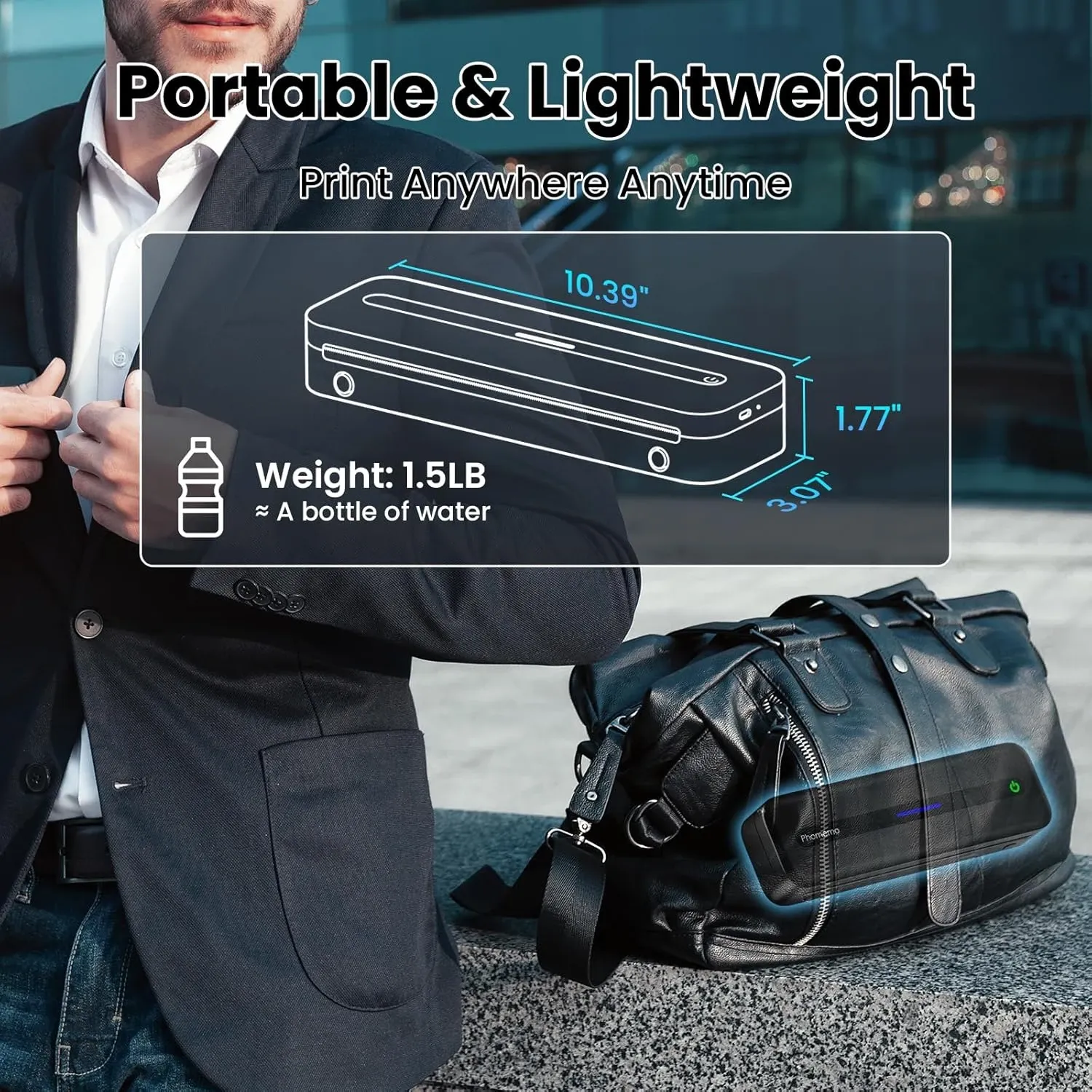
These devices are built for life on the move. The Phomemo M832 weighs only 1.5 lbs, making it incredibly easy to slip into a backpack, briefcase, or even your car's glove compartment. Unlike traditional printers that are tethered to a desk, this portable printer runs on a long-lasting battery and connects wirelessly via Bluetooth. This means you can print from virtually anywhere, turning your car, a coffee shop, or a hotel room into a mobile office.
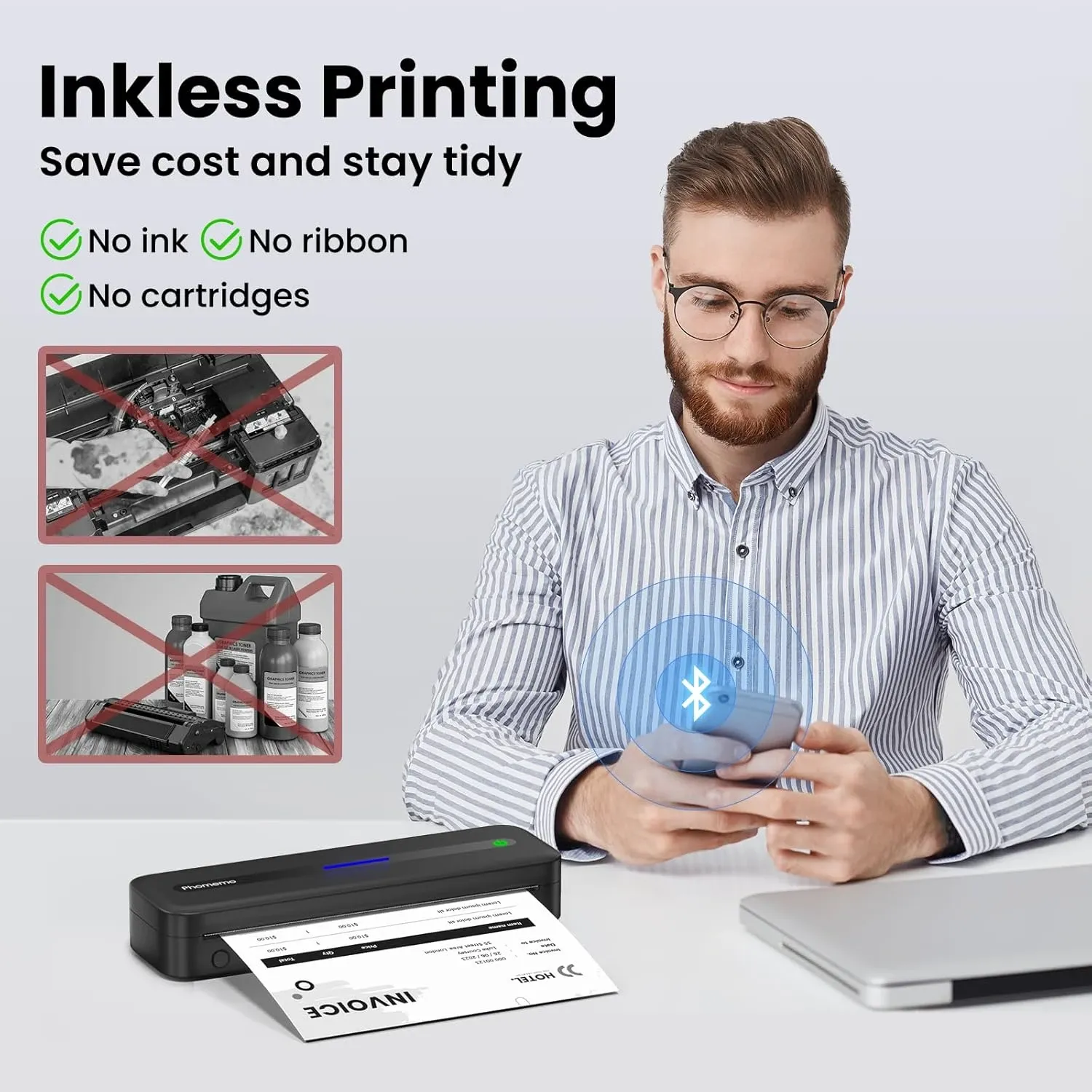
Moreover, the Phomemo M832 uses thermal printing technology. This eliminates the need for expensive ink or toner cartridges, which are prone to drying out, clogging, and creating a mess. The only consumable you need is thermal paper, making it a more economical and sustainable choice for many sellers . For anyone who values efficiency, cost-effectiveness, and the freedom to work from anywhere, a portable printer like the Phomemo M832 is no longer a luxury—it's an essential tool for productivity.
A Deep Dive into the Phomemo M832 Portable Thermal Printer
After evaluating its specifications and user feedback, the Phomemo M832 stands out in the crowded market of portable printers. It’s not just its small size that impresses; it’s the combination of versatility, quality, and user-friendly features that make it a compelling choice for a wide range of users. Let's break down what makes this portable printer a top contender.
Key Features and Benefits
The Phomemo M832 is packed with features designed for convenience and performance. Here’s what we found most impressive:
- Inkless Thermal Printing: The standout feature is its use of advanced thermal technology. This means you’ll never have to buy or replace ink, toner, or ribbons. This not only saves you money but also eliminates the hassle of clogged print heads and messy spills. It's a clean, efficient, and cost-effective way to print.
- Exceptional Portability: Weighing just 1.5 lbs and designed to be compact, this printer is built for travel. The included carrying case provides extra protection, making it easy to take on business trips, to client meetings, or to class. Its small footprint saves valuable space, whether you're in a car, truck, or a small home office.
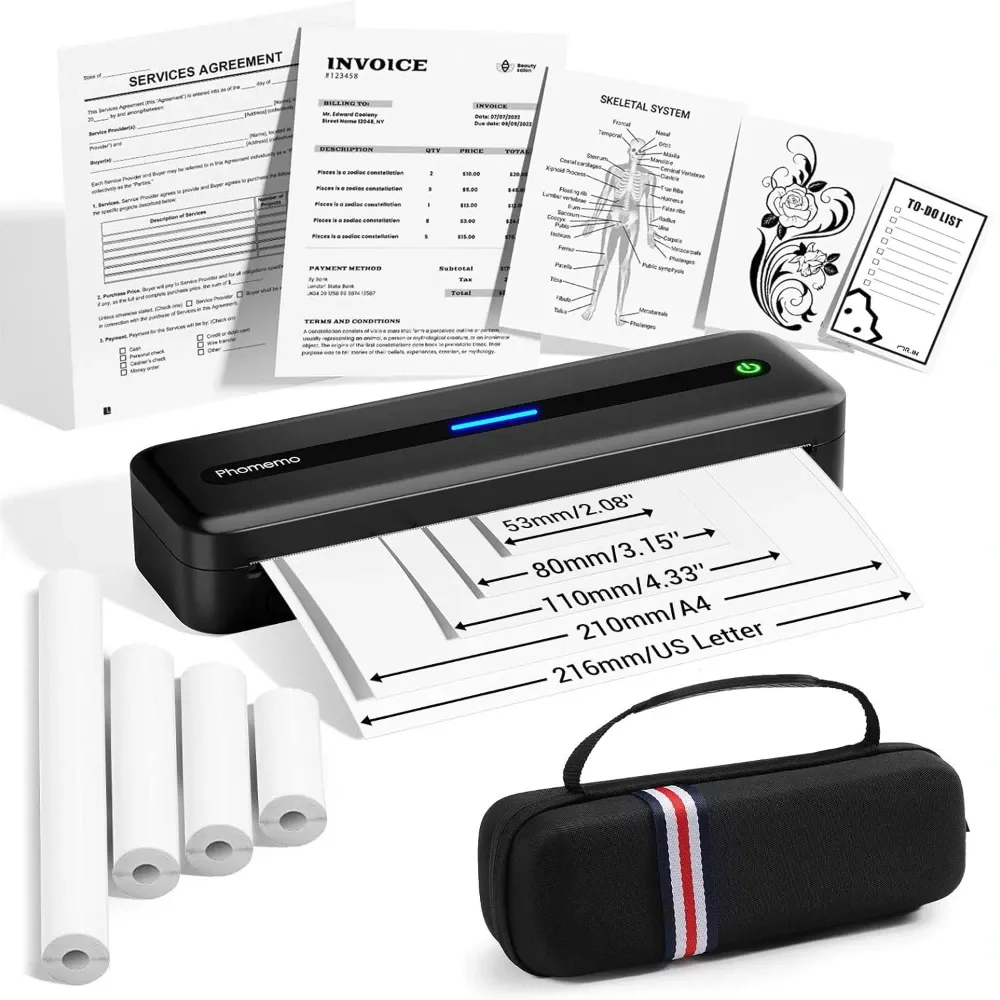
- Versatile Paper Handling: One of the M832’s greatest strengths is its ability to handle multiple paper sizes. It supports standard 8.5" x 11" US Letter and A4 paper, as well as smaller widths like 2.08", 3.15", and 4.33". This flexibility allows you to print everything from full-page documents and contracts to smaller invoices, lists, and shipping labels. It also works with thermal roll paper, folded paper, and single-sheet paper, giving you plenty of options.
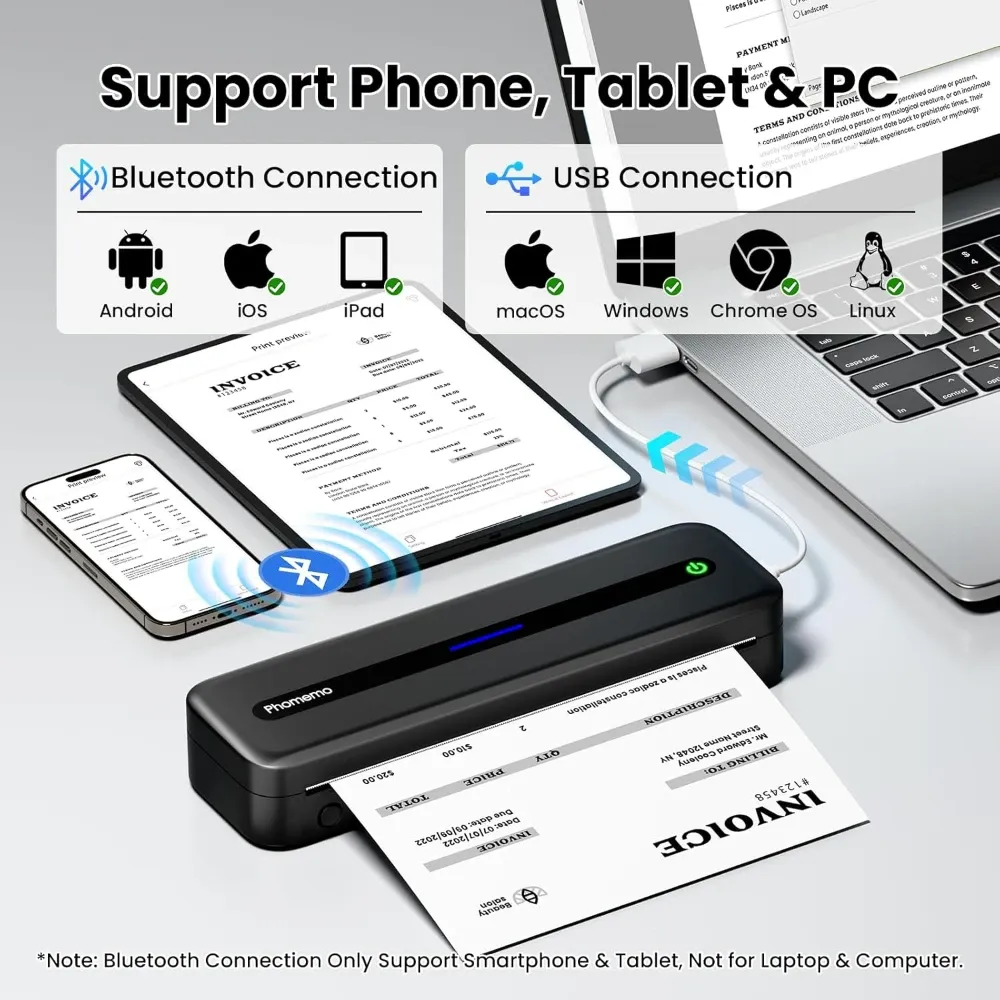
- Strong Connectivity and Compatibility: The Phomemo M832 offers robust wireless and wired connection options. You can easily connect and print from your iPhone, Android phone, or iPad via Bluetooth. For laptop and computer users, a reliable connection is available using the included USB-C cable. This ensures you can print PDFs, Word documents, images, and web pages from almost any device.
- High-Quality Printing: With a resolution of 300 DPI (dots per inch), the M832 delivers clear, sharp prints. This high print quality is crucial for professional documents, contracts, and detailed notes where readability is key. Text and simple graphics come out crisp and easy to read.
- Long-Lasting Battery: The built-in 2600mAh rechargeable battery is another major plus. On a full charge, the printer can produce up to 150 sheets, making it a reliable partner for long days on the road or back-to-back meetings. The battery is easily recharged with the provided USB-C cable, a modern standard that adds to its convenience.
What’s in the Box?
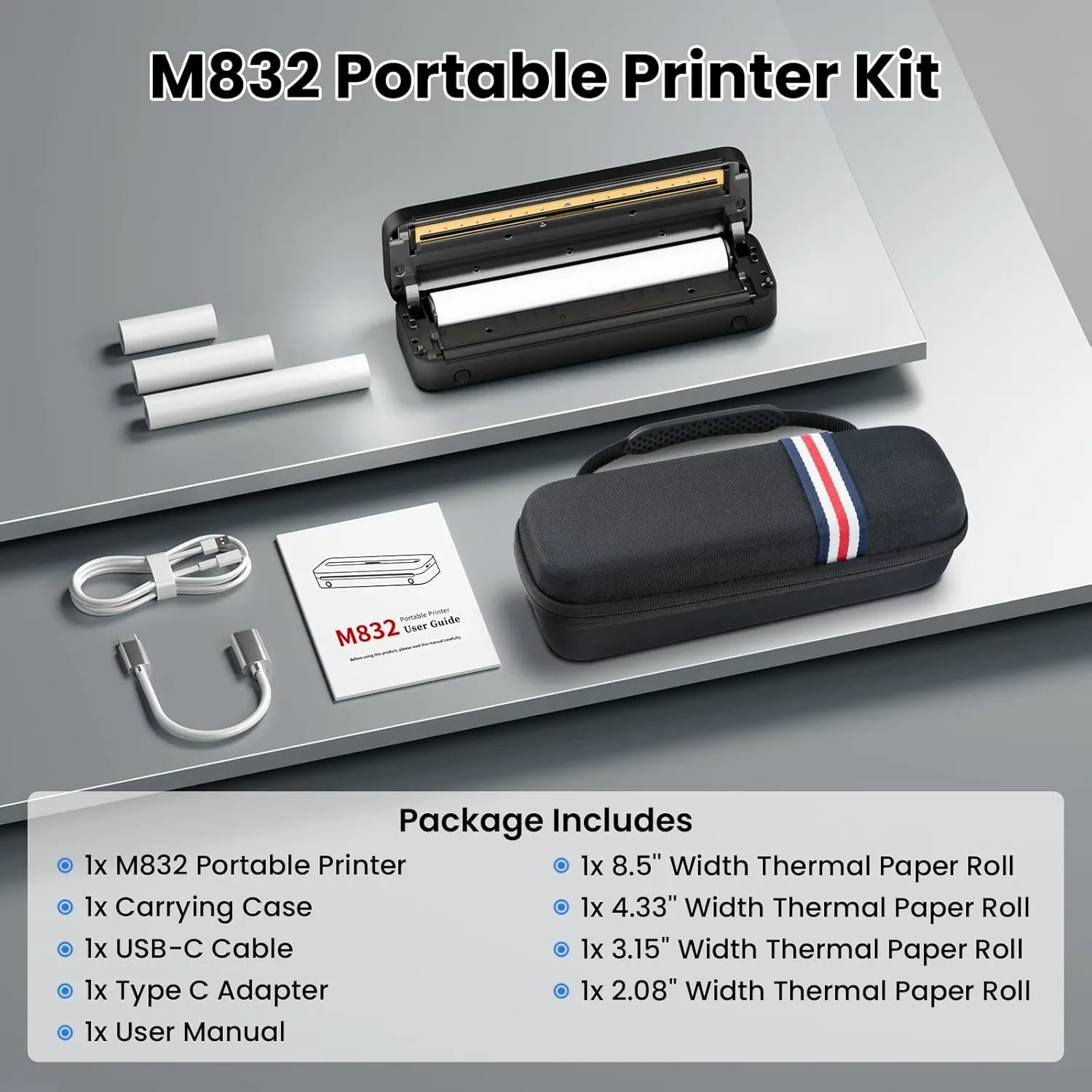
When you order the Phomemo M832, you receive a complete package to get you started right away. The box includes:
- The M832 portable printer itself
- A durable carrying case for protection during travel
- Four rolls of thermal paper in various sizes (one roll of letter-size paper comes pre-loaded)
- A USB-C to USB-A cable for charging and connecting to a computer
This comprehensive package ensures users have everything they need to start printing immediately, a thoughtful touch that enhances the overall user experience.
Real-World Use Cases for the Phomemo M832
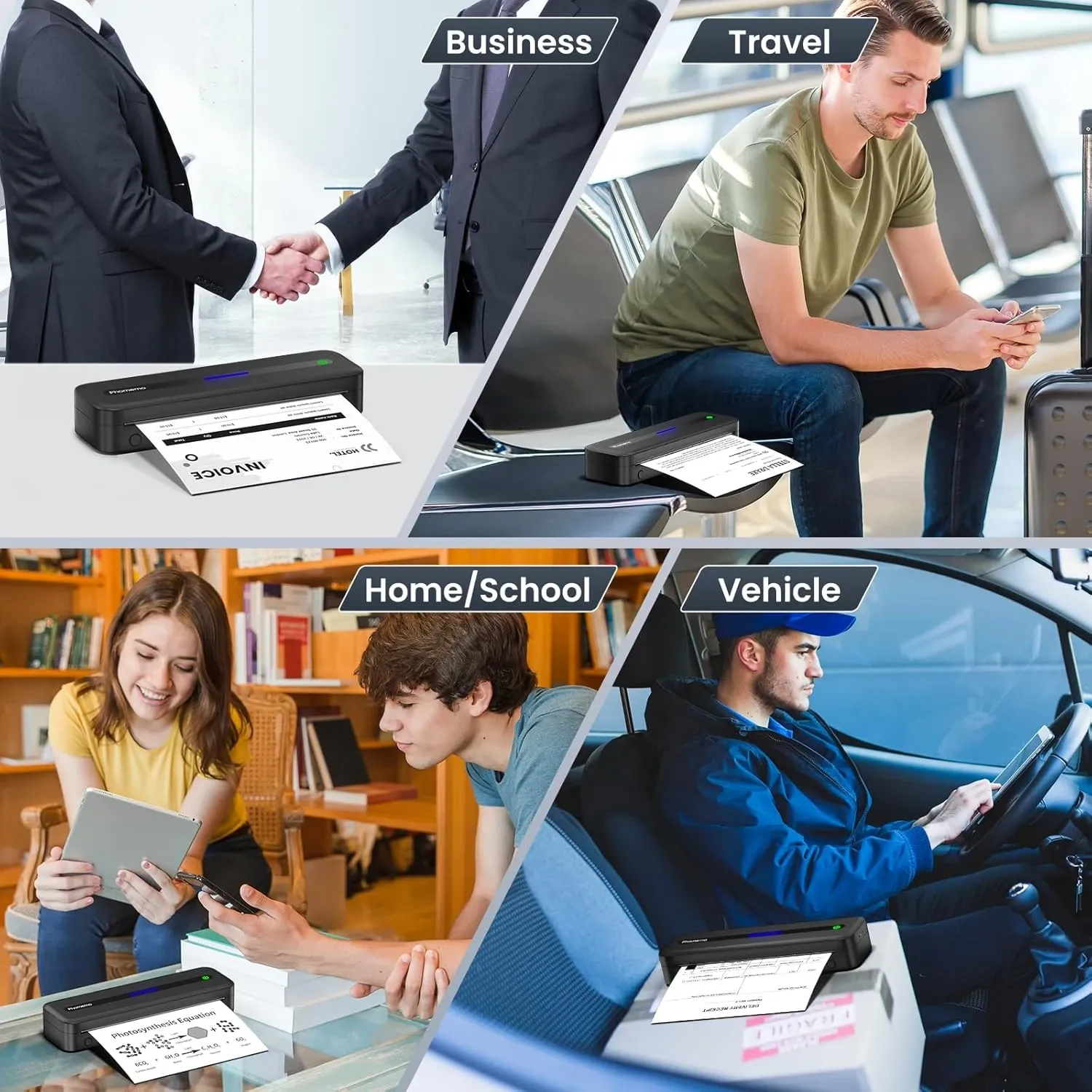
The versatility of the Phomemo M832 products makes it a valuable tool across many professions and lifestyles. The following examples show the Phomemo M832 portable printer in action, demonstrating how it meets the real-world needs of different users in various scenarios.
Here are a few scenarios where this portable printer truly shines:
- For the Business Traveler: Imagine needing to print a revised contract just moments before a meeting. With the M832, you can print a fresh copy directly from your phone in the back of a taxi or a coffee shop. It’s also perfect for printing boarding passes, invoices, or presentation handouts on the fly.
- For Truck Drivers and Logistics Professionals: Managing bills of lading, delivery orders, and shipping manifests is a constant challenge on the road. The M832 allows drivers to print necessary documents directly from their cab, saving time and avoiding delays at depots or client sites.
- For Students and Teachers: Students can print lecture notes, research papers, and study lists from anywhere on campus. Teachers can print worksheets or assignments for their students without needing to be in the faculty office. Its ease of use makes it great for last-minute needs.
- For the Mobile Notary: Notaries who travel to clients need a reliable way to print documents on-site. The M832 provides a professional and efficient solution for printing legal forms and contracts, ensuring every detail is clear and readable.
- For Home Office and Personal Use: Even at home, a portable printer offers great convenience. You can use it to print recipes, to-do lists, children’s coloring pages, or shipping labels for online selling without needing a large, dedicated office setup.
Getting Started: Setup and Operation
Phomemo has designed the M832 for simplicity and ease of use. Setting it up is a straightforward process:
- Charge the Printer: Before first use, fully charge the printer using the included USB-C cable. The battery indicator will let you know when it’s ready.
- Load the Paper: Open the printer cover and load your desired thermal paper size. The printer's guides make it easy to align the paper correctly.
- Download the App: On your phone or tablet, download the "Phomemo" app from the Apple App Store or Google Play Store.
- Connect via Bluetooth: Turn on the printer and enable Bluetooth on your device. Open the Phomemo app and follow the on-screen instructions to connect to the M832 printer.
- Print: Once connected, you can select documents, images, or web pages from within the app and send them to the printer.
For laptop or computer printing, simply connect the printer using the USB cable. Your computer should recognize the device, and you can print from any application just as you would with a standard printer.
Exploring the Phomemo App and Software
The Phomemo App is the digital heart of the Phomemo M832 portable printer, designed to make your printing experience as smooth and efficient as possible. Whether you’re connecting via USB, USB-C, or Bluetooth, the app ensures a quick and hassle-free setup—just download it on your Android or iOS device, follow the simple pairing instructions, and you’re ready to print high-quality documents and images in minutes. This seamless connection is perfect for busy business professionals, office workers, and anyone who values ease of use.
One of the standout features of the Phomemo App is its flexibility with paper size. Whether you need to print on A4, Letter, or a variety of thermal paper widths, the app lets you select the right option for your task. This makes it ideal for travel, home, and office environments where different print jobs demand different paper sizes. Plus, you can easily adjust print quality settings within the app, ensuring every document meets your standards—whether it’s a crisp contract for business or a quick to-do list at home.
Sustainability is at the core of the Phomemo M832’s design, and the app supports this mission. By leveraging thermal printing technology, the printer eliminates the need for ink cartridges, reducing waste and ongoing costs. The app also offers features to help you optimize your print jobs and minimize paper usage, making it a smart choice for eco-conscious users and businesses looking to reduce their environmental footprint.
Navigating the Phomemo App is a breeze, thanks to its intuitive interface. Users can quickly access settings to change paper size, tweak print quality, and manage connectivity options. For those new to portable printers, the app includes helpful tutorials and guides, walking you through everything from setup to troubleshooting common issues. This focus on user support ensures that you can get the most out of your Phomemo M832 with minimal hassle.
Shopping for the Phomemo M832 and related products is also made easy through the app. You can view a range of products, check out different sellers, and even track your order status—all from one convenient place. This streamlined shopping experience means you can find great deals, manage your cart, and get support without ever leaving the app.
In short, the Phomemo App and M832 portable printer work hand-in-hand to deliver a high-quality, sustainable, and user-friendly printing solution. Whether you’re working from the office, traveling for business, or managing tasks at home, this combination offers the versatility, ease, and reliability you need to stay productive wherever you go.
Considering the Drawbacks
While the Phomemo M832 offers a host of benefits, there are a few limitations inherent to thermal printer technology to consider.
First, thermal printers only print in monochrome (black and white). This makes it unsuitable for printing high-quality color photos or documents where color is essential.
Second, thermal paper can be sensitive to heat and light over time, which may cause the print to fade. For documents that need to be archived for many years, this might not be the ideal solution. However, for the majority of everyday printing needs like invoices, contracts, and notes, the print quality is more than sufficient and long-lasting.
Finally, while the printer is compatible with various thermal paper types, you are dependent on this special paper. You can't simply grab a sheet of standard copy paper. However, thermal paper is widely available from many sellers online, and Phomemo's own products are known for their quality and reliability.
Your Portable Office Awaits
In a world that values mobility and efficiency, the Phomemo M832 portable printer stands out as a powerful tool for work, professionals, students, and anyone on the go. It successfully eliminates the traditional pain points of printing—the need for ink, the confinement to a desk, and the bulky hardware. Its combination of a lightweight design, versatile paper handling, high-quality output, and long battery life makes it an invaluable asset for a mobile office.
By investing in a device like the Phomemo M832, you're not just buying a printer item ; you're buying freedom and convenience. The freedom to work and be productive from anywhere, and the convenience of having a reliable printing solution right in your bag. If you’re ready to stop the frantic search for a print shop and take control of your document needs, the Phomemo M832 is an excellent choice that is well worth your consideration.
Happy Travels! 🌍